Best Robot Vacuums Under $200 That Are Actually Good
Best Robot Vacuum Under $200: A Comprehensive Buying Guide
Quick Summary
- Performance: You’ll want at least 1500 Pa suction power and decent navigation to actually clean your floors (not just push dirt around).
- Battery Life: Shoot for 90-120 minutes of cleaning time - enough to handle most apartments and smaller homes.
- Smart Features: Wi-Fi connectivity and app control are nice-to-haves that make scheduling way easier.
CleanScore™ Ratings
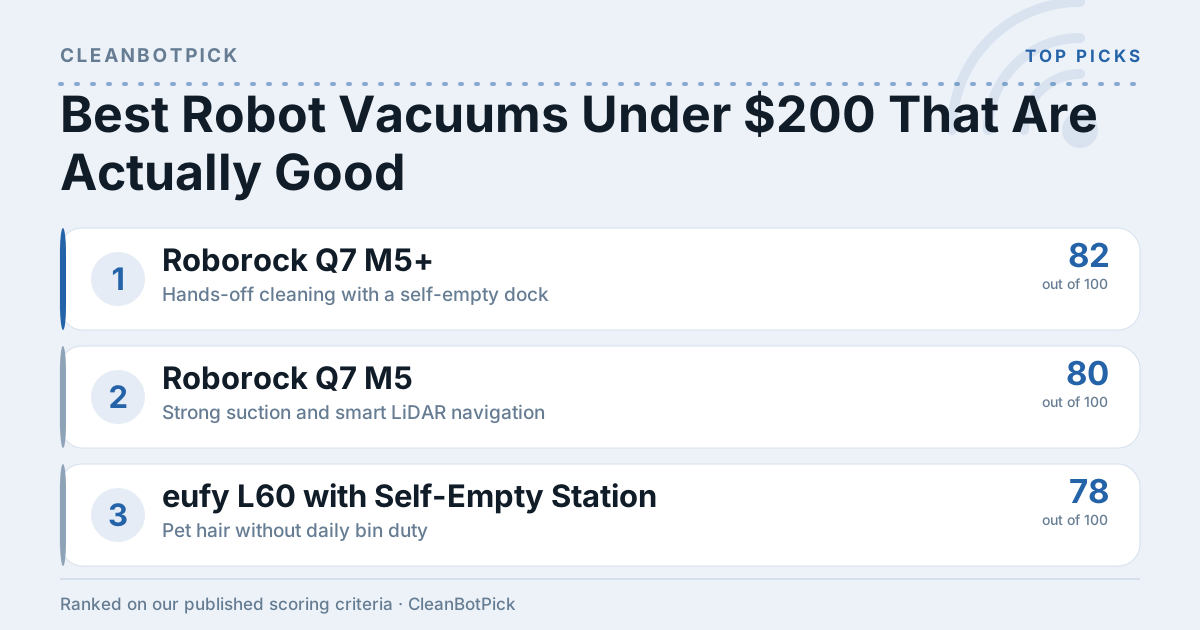
Our proprietary score based on cleaning performance, navigation & mapping, mopping capability, battery & auto-empty, and value-per-dollar.
Roborock Q7 M5+ — 82/100 (Great)
████████████████░░░░
Best for: Hands-off cleaning with a self-empty dock
Roborock Q7 M5 — 80/100 (Great)
████████████████░░░░
Best for: Strong suction and smart LiDAR navigation
eufy L60 with Self-Empty Station — 78/100 (Great)
████████████████░░░░
Best for: Pet hair without daily bin duty
eufy L60 — 76/100 (Great)
███████████████░░░░░
Best for: Overall value and slim design
Scores are calculated from publicly available specs including cleaning performance, navigation, mopping, battery life, and value. Learn about our methodology.
Key Factors to Consider
1. Suction Power
Here’s the thing about suction: if you have pets or any carpet, don’t settle for less than 1500 Pa. Plenty of weaker models basically just rearrange pet hair instead of picking it up. The measurement is in Pascals (Pa), and trust me, those extra pascals make a real difference.
2. Battery Life
Most budget robots run for 90-120 minutes, which sounds like a lot until you realize how slowly they move. Make sure yours can actually finish your space in one go, or you’ll come home to a half-cleaned floor and a dead robot in the corner. For compact spaces this is rarely an issue—the picks in our best robot vacuums for small apartments guide all finish on one charge.
3. Navigation Technology
This is where cheap robots really show their limitations. Random navigation means your bot will clean the same corner five times while completely missing the area under your dining table. Smart navigation costs more but actually works - look for gyroscopic sensors or basic mapping, as discussed in our robot vacuum buying guide.
4. Dustbin Capacity
Aim for around 0.5 liters if you can. Smaller bins mean you’re constantly emptying them, which defeats the whole “hands-off cleaning” appeal. Just make sure the robot can still fit under your furniture.
5. Filtration System
HEPA filters are worth it if you have allergies or pets; check out our guide on the best robot vacuum for allergies. They actually trap the tiny stuff that would otherwise just get blown back into your air. Skip this if you’re just dealing with basic dust and debris.
6. Smart Features
App control and scheduling are genuinely useful - way better than trying to program the thing with tiny buttons on top. Voice control through Alexa or Google is nice but not essential.
7. Warranty and Customer Service
One year minimum. Some brands are notorious for going radio silent when things break, so check those reviews for mentions of customer service nightmares.
Types/Categories of Robot Vacuums
1. Basic Robot Vacuums
Pros: Cheap, simple, lightweight.
Cons: Dumb navigation, weak on carpets, you get what you pay for.
2. Smart Robot Vacuums
Pros: App control, scheduling, smarter cleaning patterns.
Cons: More expensive, sometimes the apps are terrible.
3. Robot Vacuums with Mopping
Pros: Vacuums and mops hard floors in one go.
Cons: The mopping is usually pretty basic, and maintaining two functions is annoying.
| Type | Pros | Cons |
|---|---|---|
| Basic Robot Vacuums | Affordable, lightweight | Limited features |
| Smart Robot Vacuums | Programmable, better navigation | Higher price point |
| Mopping Functionality | Dual cleaning capabilities | Maintenance can be cumbersome |
Price Ranges
1. Budget ($100 - $150)
Basic suction, random navigation, no app control. Every model that once made this shelf worth shopping has been discontinued, and what replaced it is generic no-name hardware that pushes dirt around instead of picking it up. Save your money.
2. Mid-Range ($150 - $200)
Here’s the honest version: as of 2026, no current-generation robot vacuum ships under $200. The cheapest one still in production and still worth buying is the eufy L60, which lands just past that ceiling - 5,000 Pa, real LiDAR mapping, and a 2.85-inch body that clears most couches. More options in our best budget robot vacuum guide.
3. Premium ($200 and above)
This is where the market actually lives now. Stretch into the next bracket and the Roborock Q7 M5 gives you 10,000 Pa and proper room mapping—that bracket is exactly what our best robot vacuums under $300 guide covers. A step further up, the eufy L60 with Self-Empty Station adds a base that swallows two months of debris.
Common Mistakes to Avoid
- Ignoring your floor type: Hardwood-focused robots struggle on carpet and vice versa.
- Not measuring your furniture: That ultra-slim robot won’t help if it can’t fit under your couch.
- Skipping maintenance: Clean the filters and brushes regularly, or your fancy robot becomes an expensive paperweight.
- Buying the absolute cheapest: Sometimes spending a little more gets you double the performance, which is why you might want to consider the best premium robot vacuum options.
Our Top Recommendations
None of these is technically under $200 - that shelf has nothing current left on it. These are the cheapest robots you can actually buy today that will genuinely clean your floors, starting just past the $200 ceiling.
-
- Specs: 5,000 Pa suction power, up to 130 minutes battery life, 0.65L dustbin.
- Best for: Overall value and slim design.
- Read Full Review
-
- Specs: 10,000 Pa suction power, up to 180 minutes battery life, 0.77L dustbin.
- Best for: Strong suction and smart LiDAR navigation.
- Read Full Review
-
eufy L60 with Self-Empty Station
- Specs: 5,000 Pa suction power, up to 130 minutes battery life, 60-day self-empty base.
- Best for: Pet hair without daily bin duty.
- Read Full Review
-
- Specs: 10,000 Pa suction power, up to 180 minutes battery life, self-empty dock.
- Best for: Hands-off cleaning if you can stretch the budget.
- Read Full Review
FAQ
Q: Can robot vacuums clean carpets effectively?
A: Some can, some can’t. You need 1500 Pa minimum for decent carpet performance, and even then, don’t expect miracles on thick pile.
Q: Do I need to manually empty the dustbin often?
A: Every few runs, depending on how messy your place is. Bigger bins help, but they’re all pretty small at this price point.
Q: Are robot vacuums noisy?
A: Quieter than your regular vacuum but not silent. Most are fine to run while you’re home watching TV.
Q: Can robot vacuums be used on all floor types?
A: Hard floors, yes. Low-pile carpet, usually. Thick carpet or rugs? Hit or miss.
Q: How often should I run my robot vacuum?
A: Daily if you have pets, a few times a week otherwise. The beauty is you can just set it and forget it.
This guide covers everything you need to shop the bottom of the robot vacuum market - including the uncomfortable part, which is that the real entry point has moved past the $200 mark.