Robot Vacuum Buying Guide 2026
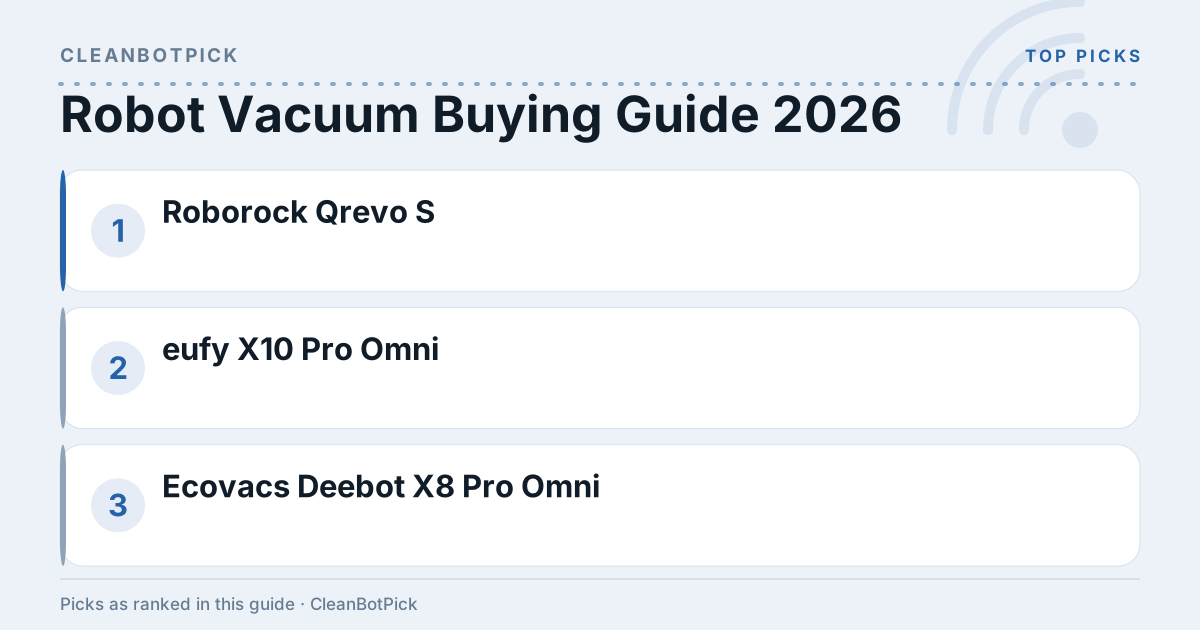
Robot Vacuum Buying Guide 2026
Quick Answer
The sweet spot for robot vacuums in 2026 is between $250 and $800. You’ll want at least 4,000 Pa suction for hard floors, 7,000 Pa for carpets, and 90-180 minutes of battery life. App control and mapping are pretty much standard now—skip any vacuum without them.
Understanding Robot Vacuums
Types of Robot Vacuums
Robot vacuums fall into three categories:
- Basic Models: $250-$400, perfect for small apartments and light cleaning
- Hybrid Models: $400-$600, these sweep and mop—great if you have mostly hard floors
- Premium Models: $600-$800+, loaded with AI navigation, powerful suction, and smart home integration
Key Features to Look For
Suction Power
Here’s the deal: you need at least 4,000 Pa for hard floors and 7,000 Pa for carpets. Anything less and you’ll be disappointed with pet hair and debris pickup.
One caveat that nobody puts on the box: Pa ratings are self-published. Compare figures inside a single brand’s range — Roborock’s comparison tool or Dreame’s model pages are the right way to do it — and treat cross-brand Pa comparisons as a rough signal rather than a measurement. Brush design and airflow matter at least as much, which is why iRobot declines to publish a Pa figure at all.
Battery Life
Most run 120-180 minutes per charge. Got a big house? Either go for longer battery life or make sure it can automatically return to charge and resume cleaning. If that big house spans multiple levels, our robot vacuums for stairs guide covers the multi-story logistics.
Smart Features
These aren’t luxuries anymore—they’re essentials:
- App Control: Schedule cleanings and check status remotely
- Mapping Technology: The vacuum learns your layout for smarter cleaning patterns
- Voice Control: Alexa and Google Assistant compatibility is nice to have
Comparing Popular Models
| Model | Price Tier | Suction (Pa) | Battery Life | Smart Features | Room Size |
|---|---|---|---|---|---|
| Roborock Qrevo S | Budget | 7,000 | 180 mins | App control, mopping, self-empty dock | Up to 3000 sq ft |
| eufy X10 Pro Omni | Mid-range | 8,000 | 180 mins | Self-emptying, app control, mapping | Up to 2500 sq ft |
| Ecovacs Deebot X8 Pro Omni | Premium | 18,000 | 150 mins | Self-washing roller mop, voice control | Up to 3500 sq ft |
| Dreame L10s Ultra Gen 2 | Mid-range | 10,000 | 180 mins | Omni dock, mop washing, LiDAR | Up to 3000 sq ft |
| Roborock Q7 M5 | Budget | 10,000 | 180 mins | App control, LiDAR mapping | Up to 2000 sq ft |
Pros and Cons of Popular Models
Roborock Qrevo S
Pros:
- Solid 7,000 Pa suction gets the job done
- The mopping actually works, and the dock washes the pads (shocking, I know)
- Impressive 180-minute battery life
Cons:
- You’ll pay for all these features
- The dock needs floor space and an outlet nearby
eufy X10 Pro Omni
Pros:
- Self-emptying station means you can ignore it for weeks
- Smart mapping works reliably
- Dual spinning mops scrub instead of smear
Cons:
- Expensive upfront and those replacement bags add up
- The station is bulky and won’t tuck under a cabinet
Ecovacs Deebot X8 Pro Omni
Ecovacs lists this one at 18,000 Pa with a self-washing OZMO roller mop and a station that dries with hot air — worth reading the spec page directly, because the X-series naming has since expanded to the X11 and X12 and stock on older models comes and goes.
Pros:
- Crazy powerful 18,000 Pa suction
- The roller mop washes itself while it cleans
- Navigation is surprisingly good
Cons:
- Premium-tier price—ouch
- That cleaning station is huge and won’t fit under most furniture
Dreame L10s Ultra Gen 2
Pros:
- Omni dock empties the bin and washes and dries the mops
- Good balance of features and price
- 10,000 Pa handles most cleaning tasks well
Cons:
- Dock footprint is real—measure before you buy
- The app buries some settings three menus deep
Roborock Q7 M5
Pros:
- Budget-friendly price
- LiDAR mapping at a price that used to buy random bouncing
Cons:
- No self-emptying dock at this price
- Mopping is an afterthought—this is a vacuum first
Practical Tips for Purchasing
- Measure your space: Know your square footage—don’t guess
- Think about your floors: Pet hair on carpet? You need 7,000+ Pa suction
- Factor in ongoing costs: Filters, brushes, and bags (for self-emptying models) add up
- Read real reviews: Skip the 5-star “amazing product!” reviews and focus on detailed 3-4 star feedback
- Check the warranty: One year minimum, and make sure customer service doesn’t suck
FAQ
What is the average lifespan of a robot vacuum?
3-5 years with regular maintenance. Cheaper models tend to die closer to 3 years.
Can robot vacuums clean carpets effectively?
The good ones can. You need 7,000+ Pa and quality brush rolls. Don’t expect miracles on deep-pile carpet though.
Do I need to empty the dustbin often?
Without self-emptying? Every 2-3 runs, maybe daily if you have pets. Self-emptying models let you go weeks.
How do I maintain my robot vacuum?
Clean brushes weekly, empty dustbin regularly, replace filters monthly. It’s not complicated but you can’t ignore it.
Are robot vacuums worth the investment?
If you hate vacuuming and have budget-tier money to spend, absolutely. Just don’t expect it to replace deep cleaning entirely.
Bottom Line
The Roborock Qrevo S hits the sweet spot for most people—good suction, mopping with a dock that washes the pads, and a reasonable price. Got money to burn? The Ecovacs Deebot X8 Pro Omni is impressive but pricey. On a budget? The Roborock Q7 M5 gives you 10,000 Pa and real LiDAR mapping at the budget tier, which is the best value here. Just skip anything without proper mapping, no matter how cheap it looks.